
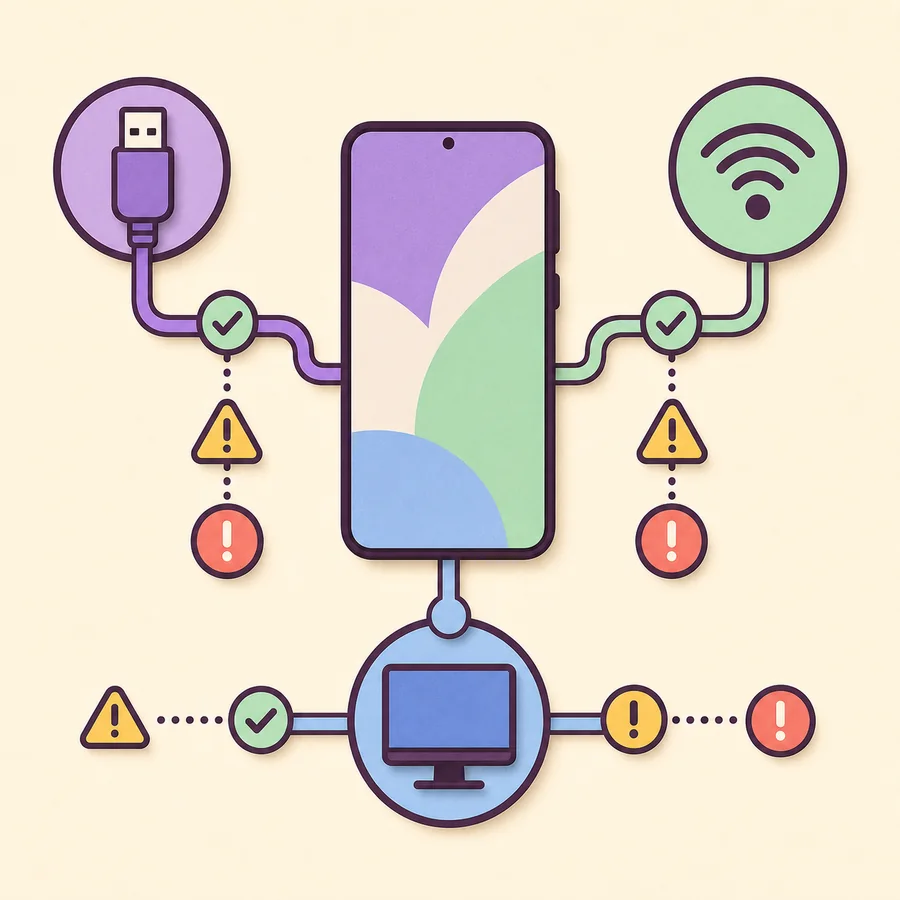
Official support boundary
DeX for PC ended; direct display DeX can remain
Samsung's support wording says DeX for PC is no longer supported on Galaxy devices released with or updated to One UI 7 or later. If a compatible phone can connect directly to a monitor or cast Wireless DeX to a supported display, those paths do not depend on the Windows DeX application.
Samsung DeX One UI 7 status at a glance
| DeX for PC | Not supported on One UI 7 or later |
|---|---|
| Windows alternative | Link to Windows for supported phone-integration features |
| Direct monitor DeX | May remain available on a compatible Galaxy device |
| Wireless DeX | May remain available with a compatible phone and display |
| Tablet DeX | Depends on the Galaxy Tab model and DeX mode |
| Old PC installer | Cannot restore phone-side support on newer One UI |
Samsung DeX One UI 7 support changes
DeX for PC was a companion application for Windows and, earlier, macOS. It displayed a phone-powered desktop inside a computer window and allowed the phone and computer to exchange input and selected content. Samsung's current support page says this PC mode is no longer supported for devices released with or updated to One UI 7 or later.
The Windows setup file still exists on Samsung's Download Center, which creates confusing search results. A valid download does not guarantee that a current phone will pair with it. The installer remains relevant mainly for compatible older devices that have not crossed the One UI 7 support boundary.
Samsung also states that the Mac OS version can no longer be downloaded. An archived Mac installer or older Windows executable cannot change the support logic inside a newly updated phone.
Do not downgrade a phone, install modified firmware, or use a third-party DeX package solely to recover DeX for PC. Those actions create security, stability, and data-loss risks.
Samsung DeX features that may still work
A compatible Galaxy phone can run DeX as its own desktop environment on an external display. In that setup, the phone connects to a monitor or TV using USB-C video, an HDMI adapter or hub, or a supported wireless display path. The Windows PC application is not part of the chain.
This distinction explains why one user can say DeX still works on One UI 7 while another says it disappeared. They may be describing different modes. Direct monitor DeX depends on the phone model and hardware; DeX for PC depends on the now-retired companion-app support; tablet DeX can have its own New DeX and Classic DeX behavior.
Check the Samsung DeX control in Settings and confirm the exact model. If the phone supports external-display DeX, connect it directly to the display rather than routing the session through a Windows application.
- Wired DeX to a compatible USB-C monitor or HDMI display may remain available.
- Wireless DeX to a compatible Miracast display may remain available.
- Galaxy Tab DeX interfaces depend on the tablet model and software.
- Keyboard, mouse, storage, and hub support depend on the chosen hardware path.
- Link to Windows offers a different set of PC-integration features.
When to use Link to Windows instead
Link to Windows is designed for phone-to-PC integration rather than a full desktop workspace. Depending on the devices and region, it can surface notifications, messages, calls, recent photos, files, clipboard features, and supported mobile applications on Windows.
Choose Link to Windows when the main goal is to stay on the PC keyboard and monitor while checking phone content. Choose direct monitor DeX when the main goal is to use a phone-powered desktop with resizable mobile applications and desktop peripherals. Neither option is an exact replacement for every feature of the old DeX for PC app.
Use Microsoft's and Samsung's current setup instructions. Avoid downloading a utility that claims to be a renamed DeX replacement, especially when it asks for broad phone permissions or USB debugging without a transparent source.
What to do if DeX for PC stopped after an update
First, confirm the One UI version under Settings > About phone > Software information. If the device now runs One UI 7 or later, repeated Windows reinstalls, USB driver changes, and cable swaps will not address the official support change. Preserve time by moving to a supported route.
If the device remains on One UI 6.1 or earlier, diagnose the legacy connection normally. Update Windows, open the DeX application, unlock the phone, use a data cable, approve the prompt, and test another direct USB port. Check Device Manager only after the support and cable questions are resolved.
For a direct display setup, test a known video-capable adapter or hub, select the correct monitor input, and provide power delivery where the accessory requires it. For wireless use, place the receiver into screen-mirroring mode and reduce interference.
- 1
Read the One UI version
Confirm whether the phone crossed the One UI 7 support boundary.
- 2
Name the failed mode
Separate a Windows app failure from a direct monitor or Wireless DeX failure.
- 3
Choose the supported alternative
Use Link to Windows for PC integration or direct-display DeX for a desktop workspace.
- 4
Test one connection path
Avoid changing the driver, cable, hub, network, and display at the same time.
- 5
Use official software
Do not install archived or modified packages to bypass the support boundary.
Does the same rule apply to One UI 8 and newer releases?
Samsung's wording uses One UI 7 or later, so the DeX for PC restriction includes later releases unless Samsung publishes a new policy. Search phrases such as a One UI 8.5 DeX download should not be interpreted as evidence that a separate PC application or Android APK exists.
Future One UI releases can change the phone and tablet DeX interface, multitasking behavior, app layout, or display controls. Always separate those interface updates from the availability of the Windows companion application. Samsung's current support documentation should take priority over a version number shown on a third-party download page.
One UI 7 and later: choose by goal
The most useful replacement depends on whether you want phone integration or a phone-powered desktop.
| Goal | Use | Download needed | Main requirement |
|---|---|---|---|
| See messages, calls, photos, and supported apps on PC | Link to Windows | Windows Phone Link / built-in phone feature | Compatible phone, PC, account, and network |
| Run a full desktop on a monitor | Direct wired DeX | No PC app | Supported Galaxy device and video-capable connection |
| Run DeX on a TV without a cable | Wireless DeX | No PC app | Supported Galaxy device and Miracast display |
| Run DeX inside a Windows window | DeX for PC | Legacy installer | Not supported on One UI 7+ |
Samsung DeX One UI 7 FAQ
Was Samsung DeX completely removed in One UI 7?
No. Samsung specifically says DeX for PC is no longer supported on One UI 7 or later. Direct monitor, wireless, and tablet DeX availability should be checked separately for the device.
Can I reinstall DeX for PC after updating to One UI 7?
You can still find the Windows installer, but reinstalling it does not restore phone-side support. Use Link to Windows or a supported direct-display DeX mode instead.
Does One UI 8 support DeX for PC?
Samsung's wording says One UI 7 or later, which includes One UI 8 unless Samsung announces a new policy. Check current official support documentation before relying on a download page.
Can I still connect One UI 7 to a monitor?
A compatible Galaxy device may still support direct monitor DeX. Verify the model, use a video-capable USB-C or HDMI connection, and do not route the setup through the retired PC application.
Is Link to Windows the same as Samsung DeX?
No. Link to Windows focuses on phone integration within Windows, while DeX provides a phone-powered desktop workspace. Their app, window, file, and peripheral behavior differs.
Should I download a New DeX APK for One UI 7?
No. DeX is integrated with Samsung system software. A third-party APK cannot safely add the missing PC support or hardware capability, and modified packages create security risk.
Official support sources
Support wording was checked July 13, 2026. Samsung's current documentation should override archived tutorials and third-party download claims.